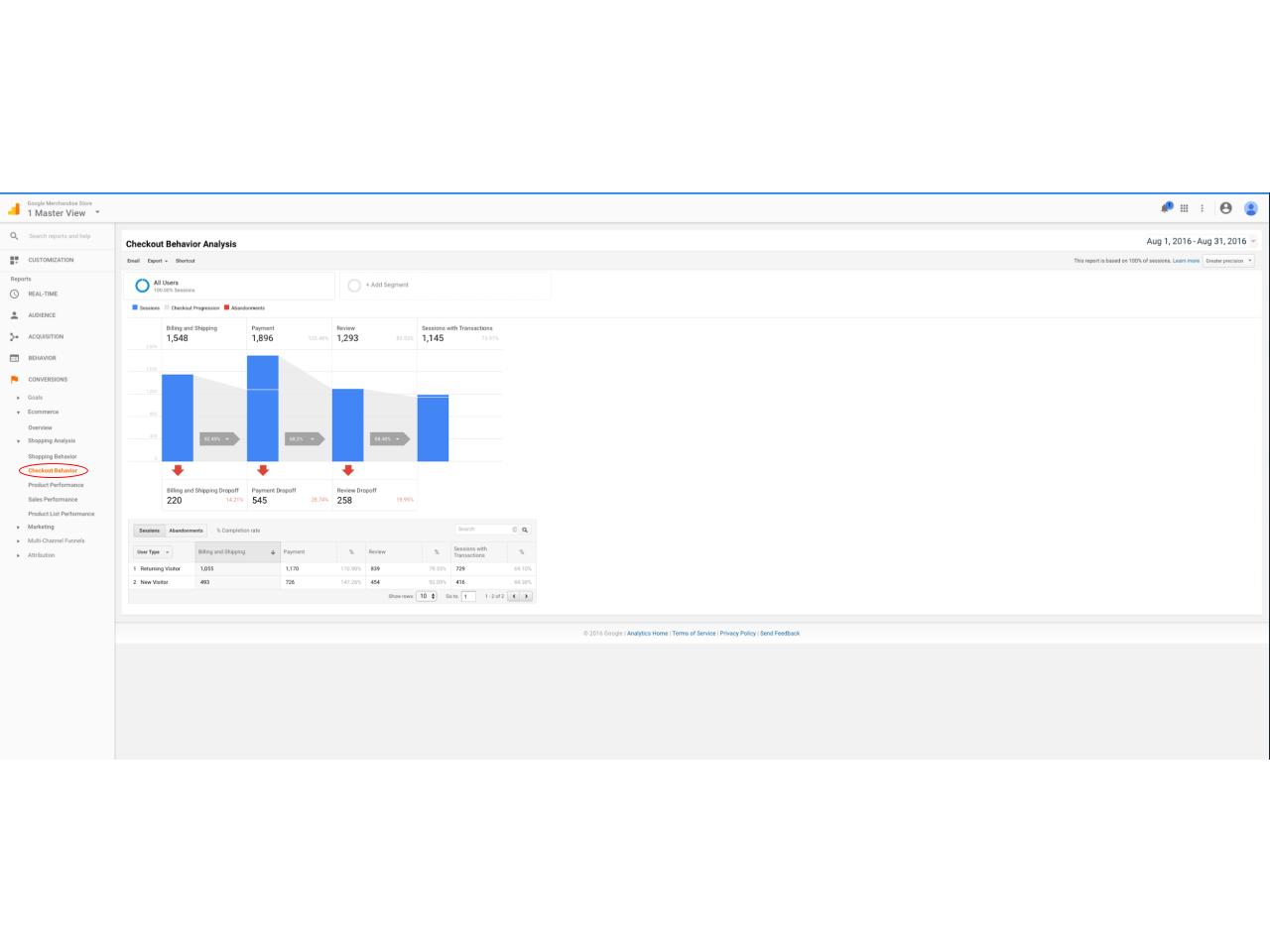
11. Shopping and checkout Behavior reports
Shopping Behavior Report
The Shopping Behavior Analysis report lets you see the number of sessions that included each stage of your purchase funnel, how many sessions continued from one step to the next, and how many abandoned the funnel at each stage. Where the funnel indicates abandonment (a red arrow at the bottom of a step), those users did not complete any additional steps of the funnel during the same session. Users can reenter the funnel at any stage (indicated by the separate blue bar at the top of a step); for example, if a user added something to the cart during one session, and then came back to complete the purchase in a subsequent session, the funnel visualization would count the user as reentering at the Checkout step.
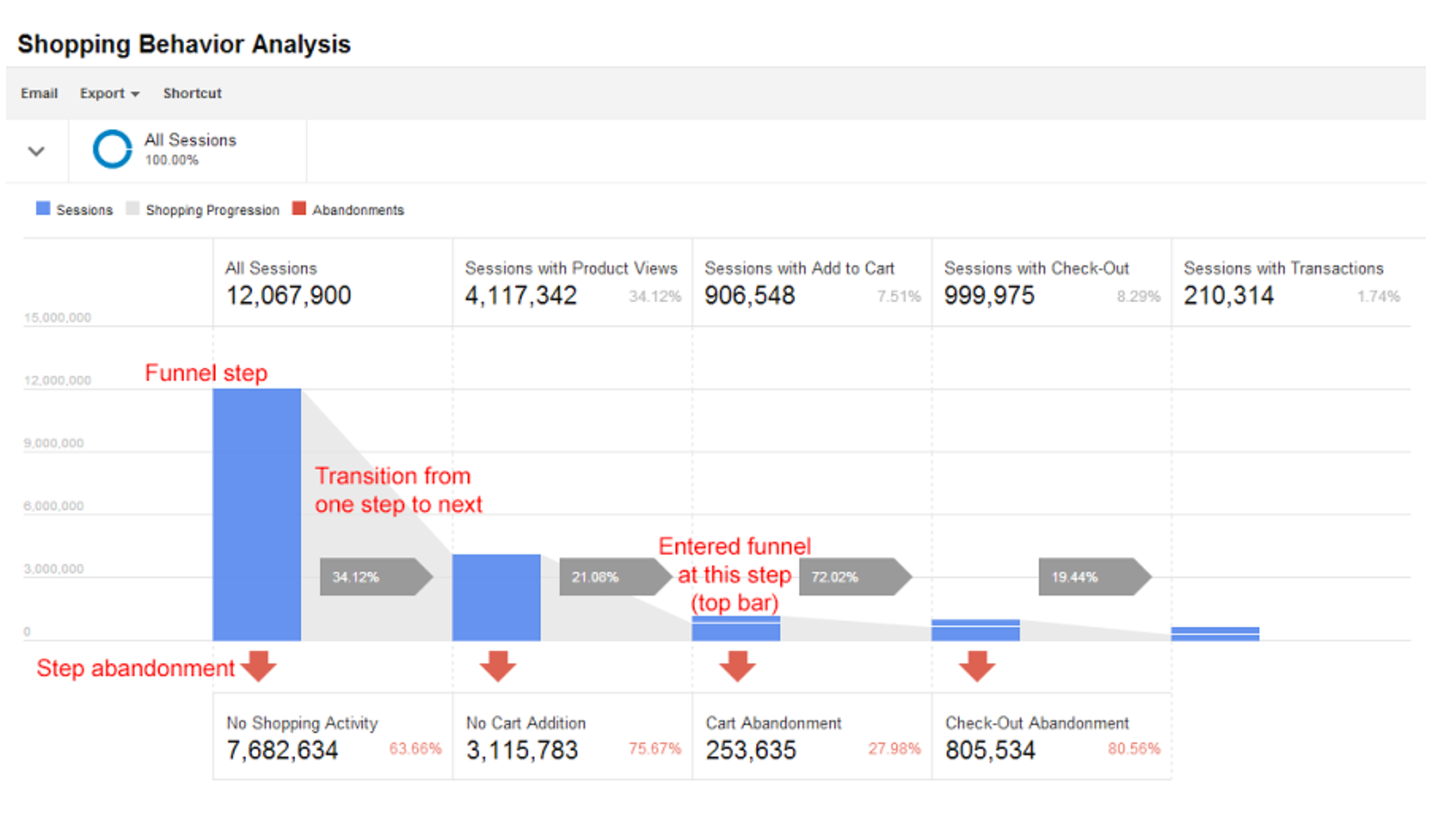
You can evaluate your users’ shopping experience from product impression to transaction.
In this report, it is possible to look at only a subset of the sessions and create an associated segment for that. For instance, if you are interested in studying the sessions that had product views, and not look at the other sessions. You can isolate these sessions by creating a segment right in this report, by clicking on the blue bar that represents these sessions. It is a shortcut to creating a segment. Once created, you can then use the segment in all other reports.
Checkout Behavior Report
The checkout behavior report is similar to the shopping behavior report, but isolates the checkout funnel only, the last steps in the process to a transaction